Start With the Application, Not the Parts
Before buying anything, write down four numbers: the working area (X × Y × Z), the material and thickness you will cut, the speed you need, and the accuracy you expect. These decide the frame, the drive system, the motors and the budget. Remember that the machine's footprint is always larger than the working area — add room for the gantry, the Z-axis, motors, cable chain and end stops.
| Machine | Cutting Force | Typical Priorities | Common Drive Choice | Key Add-ons |
|---|---|---|---|---|
| CNC Router | Medium–High | Rigidity, chip load, large table | Rack & pinion on long X/Y, ball screw on Z | Spindle + VFD, dust collection, vacuum or T-slot table |
| CNC Plasma | Very Low | Fast, smooth travel; noise immunity | Rack & pinion or belt | Torch height control (THC), water/down-draft table, fume extraction |
| CNC Laser | None (non-contact) | Speed, acceleration, low moving mass | Belt or rack & pinion | Enclosure & interlocks, air assist, chiller, exhaust |
| CNC Mill | High | Stiffness, precision, low backlash | Ball screw on all axes | Coolant, spindle speed control, tool setter |
| CNC Lathe | High | Spindle sync, precision | Ball screw (X/Z) | Spindle encoder for threading |
| Automation / Pick & Place | Low | Repeatability, cycle time | Belt, ball screw or actuator modules | Vision, I/O, PLC or custom programming |
Mechanical Consideration — Weight & Force
Estimate the gantry or table weight for router, mill, plasma, laser, or lathe. Weight is not the only factor — also consider the force, which is the sum of inertia (accelerating the mass), friction, gravity on vertical axes, and the cutting resistance. In CNC machines, the cutting material and thickness determine the force required by the X, Y and Z axes.
Mechanical Consideration — Speed
Travel (rapid) speed is when the machine moves from one point to another without any resistance. Cutting (feed) speed is when the machine is engaged with the material, and varies with material hardness, thickness and tooling. Plasma and laser need fast, smooth feed; routers and mills need force at moderate feed.
Build a Rigid Structure
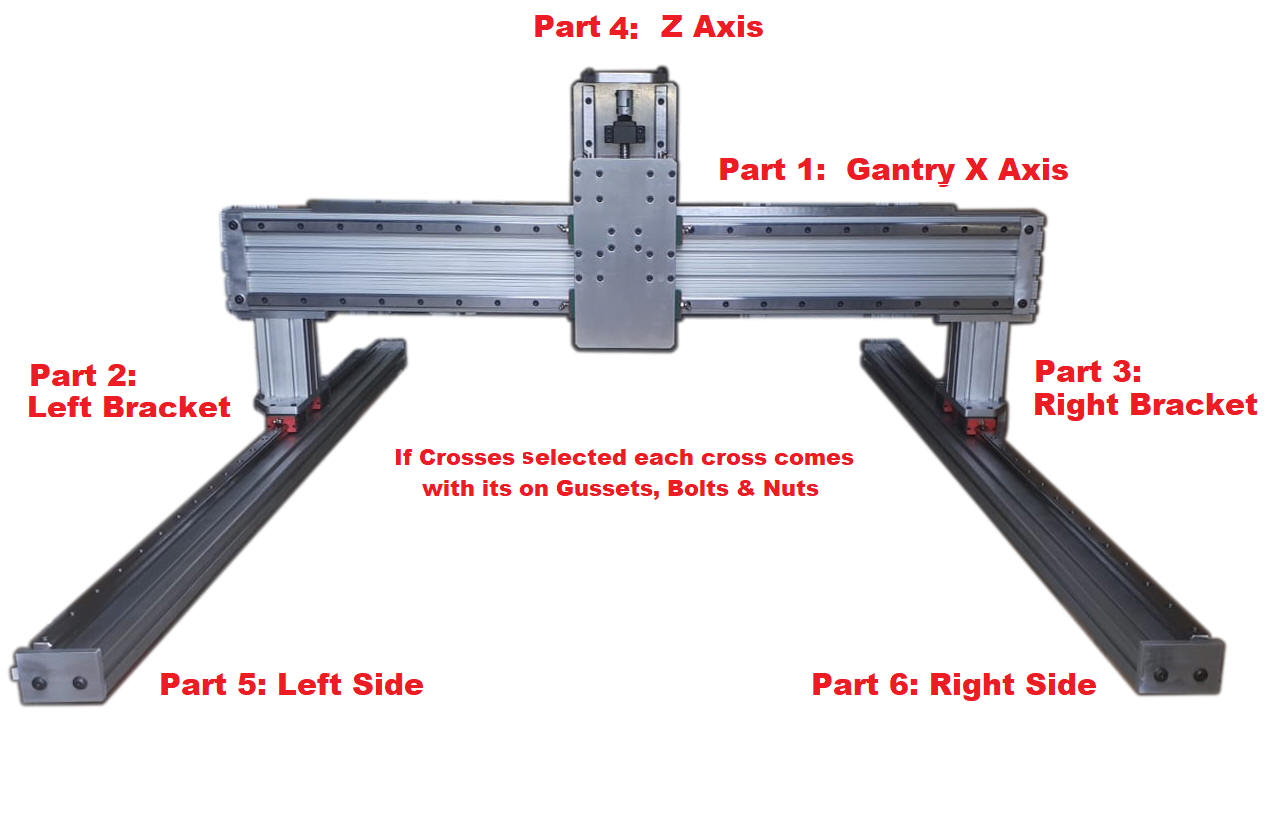
Rigidity = AccuracyThe frame is the foundation of accuracy. Any flex in the table, the gantry beam or the Z-axis shows up directly as poor surface finish, chatter, and parts out of tolerance — and no amount of motor torque or software tuning can fix it. Most gantry-style machines use a fixed table with a moving gantry (X across the beam, Y along the table, Z vertical). Long gantries are usually driven from both sides (dual Y motors) to prevent racking.


- Aluminum extrusion (8020 / T-slot) — fast to build, easy to adjust, ideal for routers, plasma, laser and automation. Use deep profiles (e.g. 3060 or larger) for gantry beams.
- Welded steel tube — heavy and stiff, damps vibration; best for large router and plasma tables. Stress-relieve or let welds settle, then machine or shim rail mounting surfaces flat.
- Epoxy granite / cast iron — best damping for mills, but costly and heavy.
- Keep the Z-axis overhang short — the distance from the gantry beam to the tool tip multiplies every deflection.
- Gantry clearance should cover your thickest stock plus fixtures — but every extra inch of clearance costs rigidity.
- Mount rails on flat, parallel reference surfaces; check with a straight edge and dial indicator before final tightening.
- Plan cable routing (drag chain), dust/fume paths and enclosure space from day one.


Choose Linear Guides and How Each Axis Is Driven
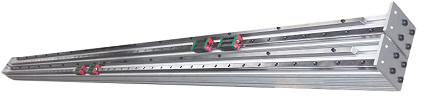
Linear guides carry the load and keep the axis straight. Profiled square rails (e.g. 15, 20 or 25 mm with recirculating ball carriages) are the standard for any machine that cuts; supported round rails are acceptable only for light-duty work. Use two rails per axis and at least two carriages per rail on the gantry sides. The drive system converts motor rotation into linear motion:
| Drive | Best For | Strengths | Limitations |
|---|---|---|---|
| Ball Screw | Mills, Z-axes, short-to-medium axes | High force, high precision, very efficient (about 90%), can be preloaded for near-zero backlash | Long screws “whip” at high RPM, which limits speed on long axes; needs end supports and protection from chips |
| Rack & Pinion | Long router / plasma axes (8–20 ft+) | Length is practically unlimited; high speed; helical racks run smoother and quieter | Some backlash unless spring-loaded or geared; lower resolution per motor turn — often paired with a reduction |
| Timing Belt | Laser, plasma, light automation | Fast, quiet, inexpensive, low moving mass | Stretches under cutting load; not suited to heavy routing or milling |
| Lead Screw (Acme) | Light hobby machines, vertical lifts | Low cost; low-efficiency screws resist back-driving | Lower efficiency (roughly 20–80% depending on lead); wears; more backlash |


The Z-Axis Deserves Extra Attention
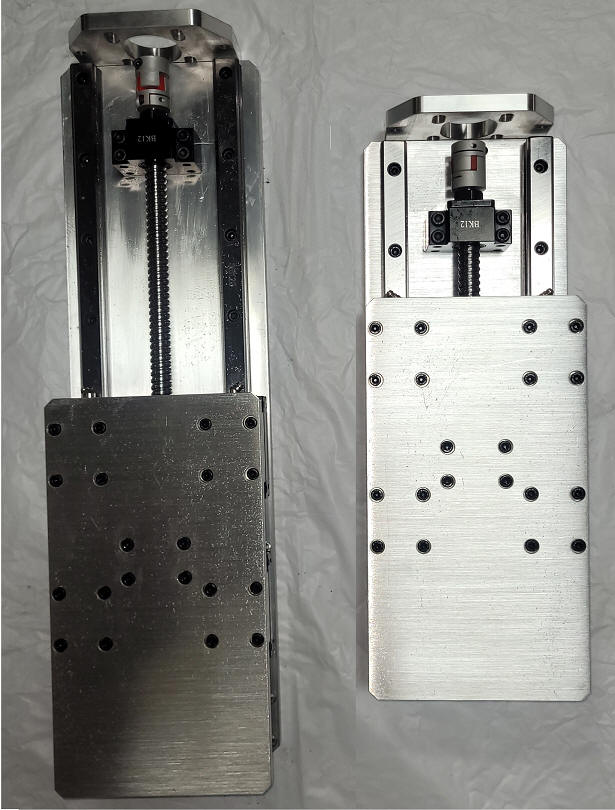
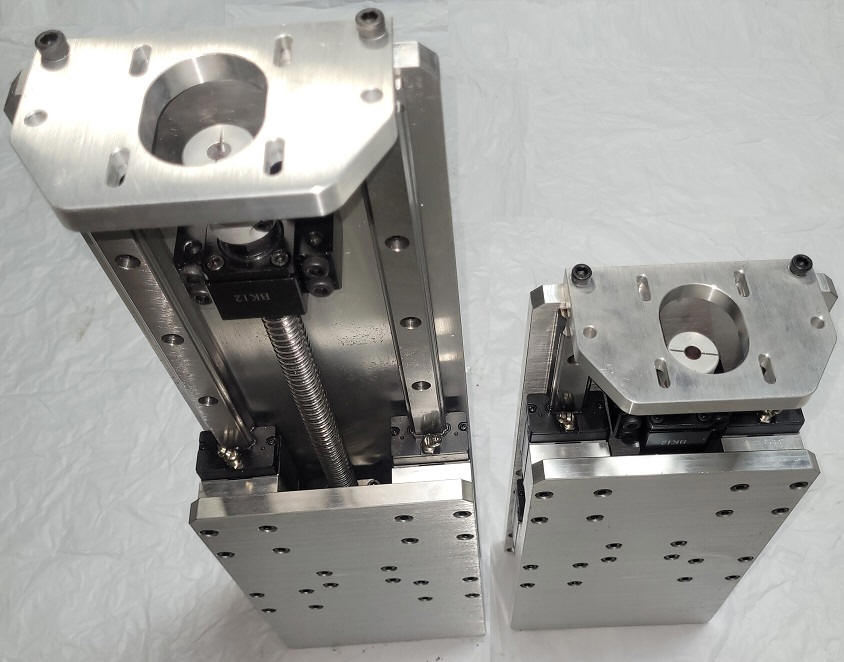
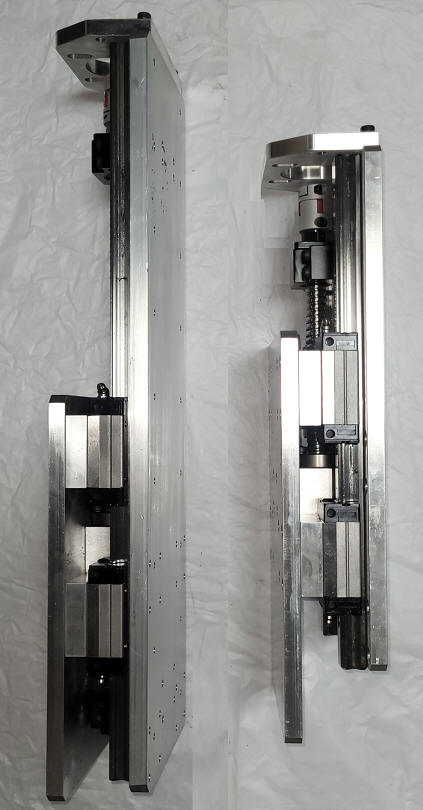
The Z-axis carries the spindle or torch, fights gravity and takes the cutting load at the end of a lever. Use a thick plate, square rails with four carriages, and a ball screw sized for the spindle weight. Because ball screws are efficient enough to back-drive, a heavy Z can drop when power is removed — consider a motor brake, counter-balance or a lower-lead screw for heavy heads.
Stepper or Servo — and How Much Torque?
Most modern automation machines, especially CNC, use stepper or servo systems. The most popular stepper motors are the 2-phase bipolar and the 4-phase unipolar motor. Servo motors may be DC or AC, brushed or brushless — all require an encoder to control the motor shaft and provide feedback on the shaft position.
| Feature | Stepper Motor (open loop) | Closed-Loop Stepper | AC Servo |
|---|---|---|---|
| Position feedback | None — can lose steps silently | Encoder corrects / alarms on lost steps | Encoder, full closed loop |
| Torque vs speed | Highest at low speed, falls off as RPM rises | Similar, better use of torque | Nearly flat to rated speed; short-term overload |
| Typical use | Hobby & light-industrial routers, plasma, laser | Upgraded routers & plasma | Production machines, high speed, heavy gantries |
| Cost & setup | Lowest, simplest | Moderate | Highest; requires tuning |
Estimating the force on an axis
m = moving mass (kg) · a = acceleration (m/s²) · μ = rail friction (~0.01 for ball rails) · g = 9.81 m/s²
Converting force to motor torque
Rack & pinion: T = F × r / η r = pinion pitch radius = (module × teeth) / 2
Belt & pulley: T = F × r / η r = pulley pitch radius
Divide by the gear / pulley reduction ratio if one is used. 1 N·m ≈ 141.6 oz·in.
Power Supply Voltage
Higher supply voltage pushes current into the windings faster, so the motor keeps torque at higher speed. A widely used guideline is a maximum supply of about 32 × √(winding inductance in mH) — e.g. a 2 mH motor ≈ 45 VDC — while staying roughly 10% below the driver's maximum rated voltage. Excess voltage mostly adds motor heat.
Driver Current & Microstepping
Set driver current to the motor's rated phase current (lower it if the motor runs too hot). Microstepping (e.g. 1/8 or 1/10) gives smoother, quieter motion and reduces resonance, but does not add real accuracy or torque. Wire 8-wire motors in parallel for best high-speed performance.
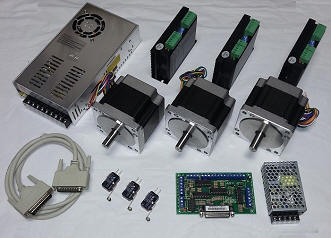
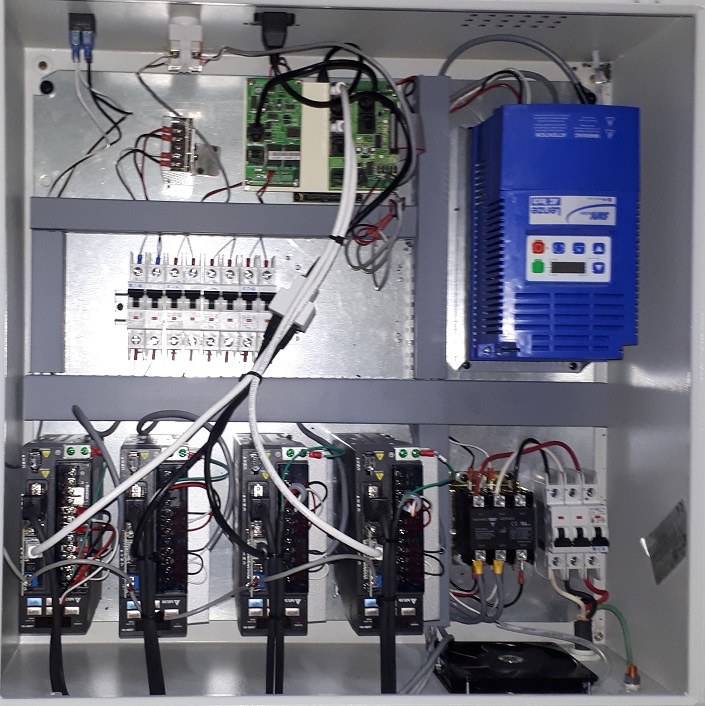
Matched motor + driver + power supply packages: CNC Stepper Retrofit Kits ›
Build the Control Box
Electronic Parts & Software You Will Need
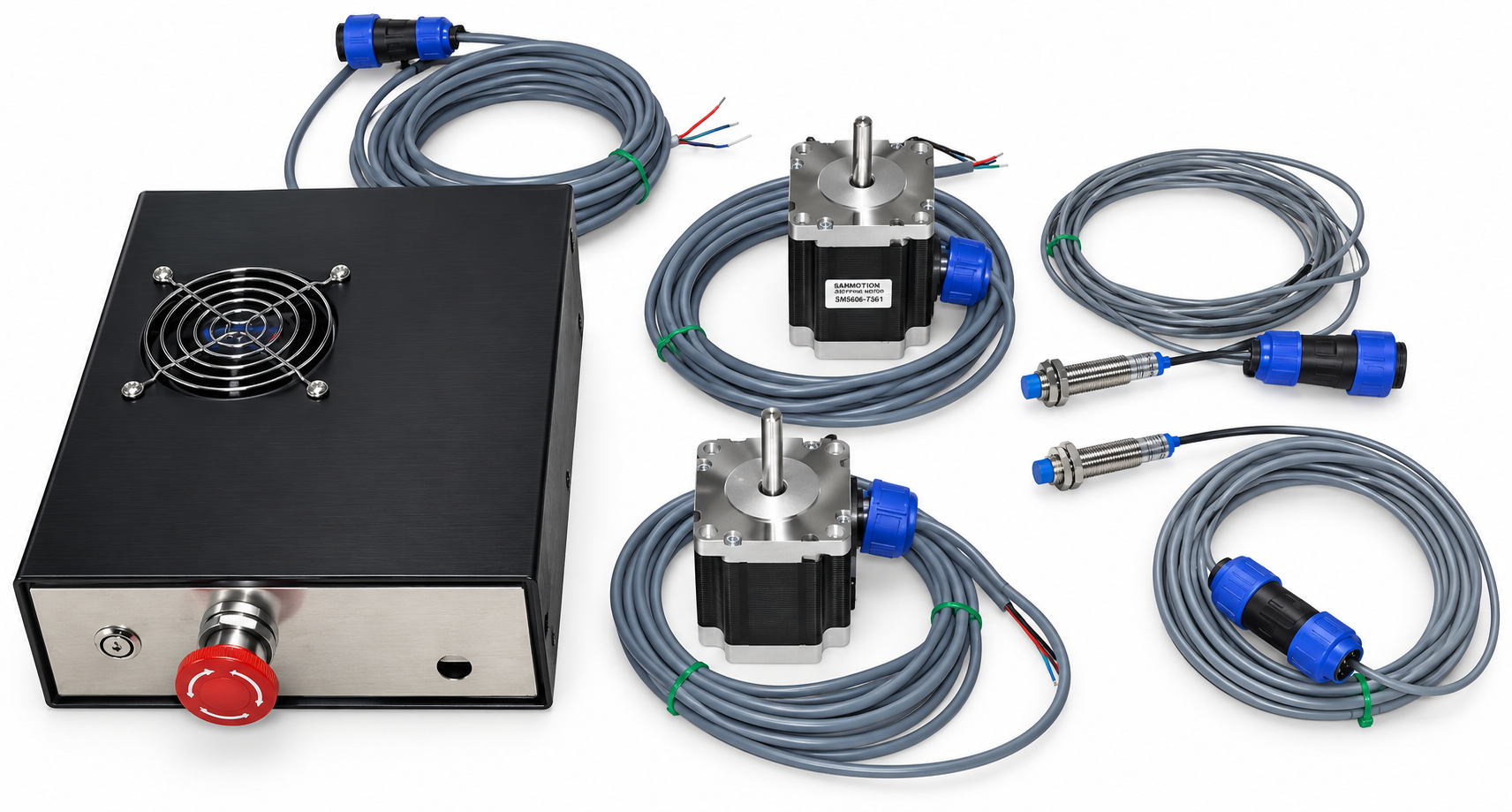
- Electronic enclosure — ABS, aluminum or metal structure as you prefer (metal helps shield electrical noise)
- Copper wires 18 & 22 AWG for internal DC wiring, sized for the current and voltage in each connection
- 4 or 8 conductor 18 AWG (or heavier) shielded stepper motor cable rated 300V, sized for motor current and cable length
- Stepper motor cable connectors (optional) for more flexibility and easy disconnect
- Main power: fuse or breaker, power switch and a hard-wired emergency stop
- Home / limit switches and a probe or tool-setter input
- Mach3/4 CNC Router, Plasma and Mill controller — click here to buy
- Instructions and wiring diagram are provided with each MotionTek CNC KIT
Wiring Best Practices
- Separate AC mains / VFD power from low-voltage signal wiring; cross at 90° if they must meet.
- Ground motor cable shields at one end (drive side) to a common star ground point.
- Use a shielded cable between VFD and spindle and follow the VFD manual for grounding.
- Use ferrules, label every wire and keep a printed schematic inside the enclosure door.
- Provide enclosure cooling: filtered fan in, vent out, drives mounted with airflow across heat sinks.
Home, Limit & E-Stop Circuits
- Wire limit switches normally closed (NC) where possible — a broken wire then reads as a tripped switch (fail-safe).
- Inductive (NPN/PNP) sensors are more repeatable than mechanical switches; check the input voltage of your breakout board / controller.
- The E-stop must remove power or enable from the drives in hardware — not rely only on software.
- Dual-motor gantries: use a home switch on each side so the controller can square the gantry automatically.
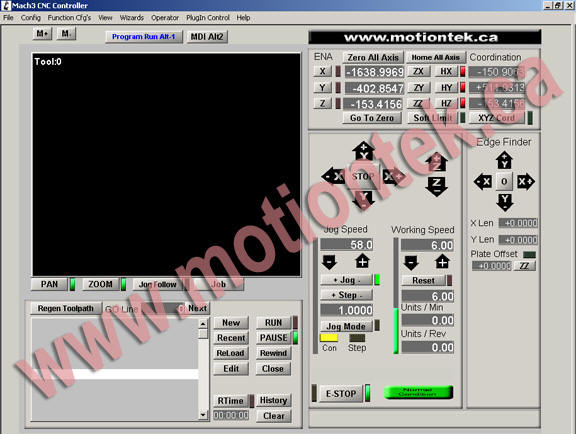
CNC Operation Software / Motion Controller
CNC operation software controls the motion of a CNC machine — from 1 up to 6+ axis machines — and advanced controllers coordinate 2 or more axes simultaneously. The full chain from idea to cut looks like this:
Choosing a Controller
MotionTek primarily uses Mach3 and Mach4; however our CNC products are standard and can be used with any step/dir controller on the market. Mach3 is open software that allows users to write their own VB Script code to control the machine as needed.
Classic Mach3 setups use the PC's DB25 parallel port with a breakout board. Modern PCs rarely have one, so a USB or Ethernet motion controller (or a stand-alone controller such as Masso) is the usual choice for new builds.
Typical Controller Features to Plan For
- Number of axes (incl. slaved dual-Y and a rotary 4th axis)
- Spindle ON/OFF and 0–10V speed control to the VFD
- Coolant / air / dust collector relay outputs
- Z auto-zero touch plate, XY edge and center finder
- Torch height control (plasma) or laser PWM output
Spindle, Torch, Laser and the 4th Axis
- Router / trim router — low cost, loud, manual speed. Fine for wood and plastics.
- Spindle + VFD (air- or water-cooled) — quieter, speed controlled from the software, runs for hours. The usual choice for serious routers and mills.
- Plasma torch — needs a machine torch, a floating head or touch-off for initial height, and THC for warped sheet.
- Laser head — needs focus height control, air assist, an enclosure with interlocks and fume extraction.
- Rotary 4th axis — a geared indexer (e.g. 5:1 to 20:1) driven by a stepper or servo for cylindrical work.
- Remember: the spindle mounting plate and tool head attachment are part of your design — check weight on the Z-axis.

First Power-Up, Calibration and Tuning
- Power the control box with motors disconnected; verify supply voltages, E-stop and input status in the software.
- Set driver current and microstep switches; connect one motor at a time and jog slowly.
- Confirm direction of each axis and that each limit / home switch is read correctly before any fast move.
- Calculate and enter steps per unit (formula below), then verify with a dial indicator or ruler over the longest possible move.
- Square the gantry (measure diagonals of a large test rectangle) and tram the spindle to the table.
- Increase velocity and acceleration until the motor stalls, then back off 20–30% for a safe working margin.
- Check backlash by reversing direction against a dial indicator; adjust mechanically before compensating in software.
- Surface the spoilboard, run your first G-code “in the air” above the work, then cut a test part.
Ball screw, 5 mm lead, 200-step motor at 1/8: (200 × 8) / 5 = 320 steps/mm
Rack & pinion, module 1, 20 teeth, 1/8: (200 × 8) / (π × 1 × 20) ≈ 25.46 steps/mm
Belt, 5 mm pitch, 15-tooth pulley, 3:1 reduction: (200 × 8 × 3) / (5 × 15) = 64 steps/mm
⚠ Safety Considerations for Every CNC Build
- Emergency stop within reach of the operator, cutting power or enable to all motion in hardware.
- Guarding: keep hands out of the work envelope; consider enclosures, light curtains or interlocked doors on production machines.
- Never leave a laser or plasma machine unattended — both can start fires. Keep an extinguisher nearby.
- Laser: use a fully enclosed, interlocked cabinet and laser-rated eye protection for the wavelength in use.
- Plasma: eye/face protection, fume extraction or water table, proper grounding of the work clamp.
- Router / Mill: eye and hearing protection, dust collection (wood and MDF dust is a health hazard), secure work-holding.
- Lock out power before maintenance; verify a heavy Z-axis cannot fall when power is removed.
- Follow your local electrical code and workplace health & safety regulations.
CNC Build Checklist
Print Me- Working area X × Y × Z and machine footprint defined
- Materials, thickness and target feed rates listed
- Frame material chosen; rail mounting surfaces flat & parallel
- Linear rails & carriages sized for load
- Drive type per axis selected (ball screw / rack / belt)
- Moving mass & axis force estimated
- Motor torque checked on the torque-speed curve with 2× margin
- Power supply voltage & current matched to motors and drivers
- Controller chosen (Mach3 / Mach4 / Masso / other) with enough I/O
- Enclosure, wire gauges, shielded cables & connectors listed
- Home / limit switches and E-stop circuit designed
- Spindle / torch / laser and its mounting designed
- Cable chain, dust or fume extraction, cooling planned
- CAD / CAM software and post-processor selected
- Steps per unit, squaring and tramming completed
- Safety review completed before first cut
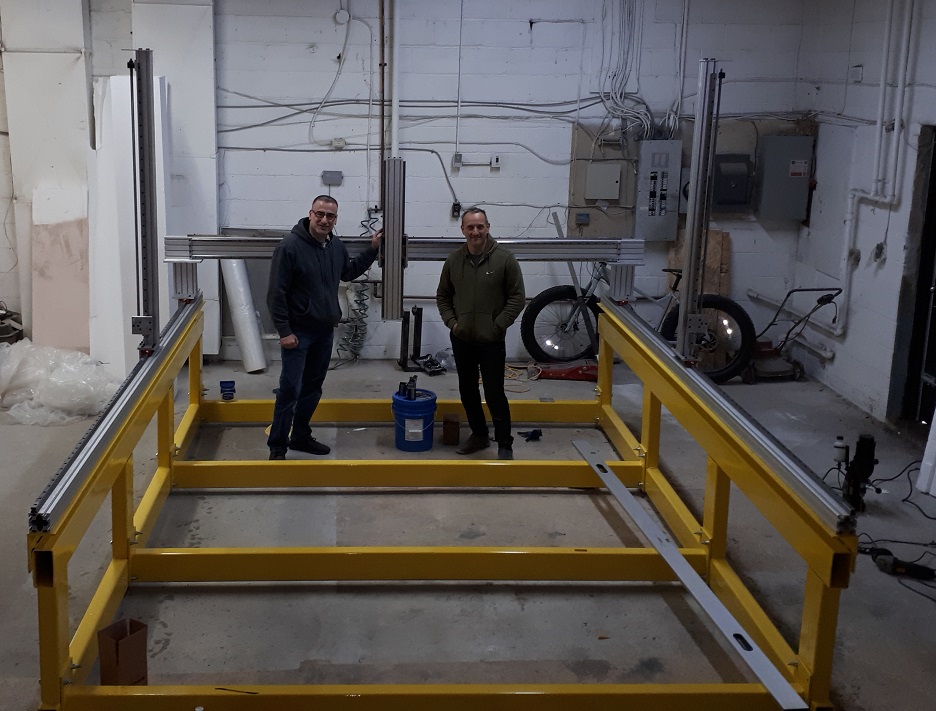
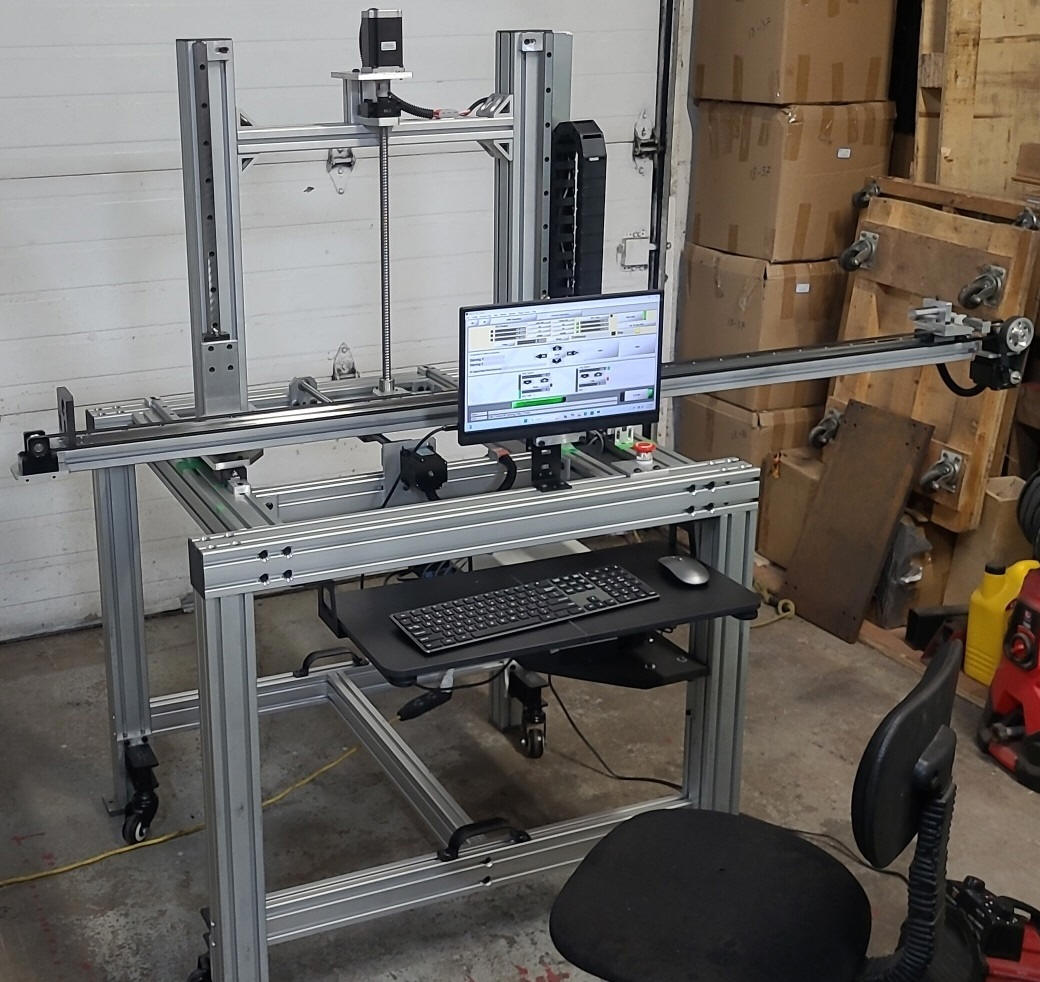
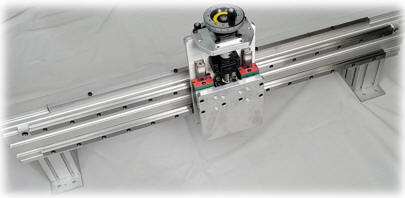
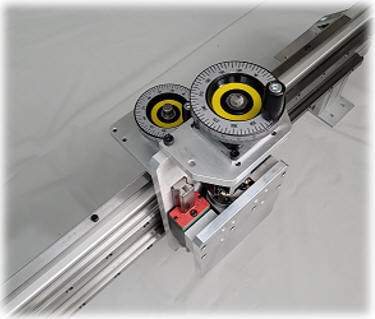
Custom Machines & Gantries Built by Our Customers and Our Team
Our Commitment
Global Motion Technology Inc. continues to provide affordable CNC machine parts for businesses. Hundreds of customers in North America and worldwide have built or retrofitted their CNC machines and many other automation machines using our components. Wiring diagrams and instructions for our CNC Stepper kits and CNC Servo DC and AC kits are provided with each purchase. Software setup for motors, home/limit switches, and relays is provided with each purchase of CNC operation software.
We have programmed many applications including filling machines, 4-axis CNC, special automated laser machines with conveyors, packaging machines, and retrofitted Mill, Router, Laser & Plasma CNC. We welcome serious automation application inquiries.
Further Reading (External References)
- LinuxCNC Integrator Manual — Stepper Information & Power Supply Selection
- Ball Screw — Efficiency, Backlash and Torque Relations (Wikipedia)
- PBC Linear — What Is Lead Screw Efficiency?
External links are provided for convenience only; Global Motion Technology Inc. does not control or endorse third-party content.
All information on this page — including text, tables, formulas, rules of thumb, examples, checklists, drawings, wiring diagrams, photographs, videos and external references — is provided by Global Motion Technology Inc. (“MotionTek”) for general educational and informational purposes only. It is provided “as is”, without warranty of any kind, express or implied, including any warranty of accuracy, completeness, merchantability or fitness for a particular purpose.
- Not an engineering design. Nothing on this page is a design, specification, engineering approval or recommendation for any specific machine. Formulas and figures are simplified guidelines and examples; real machines must be engineered for their actual loads, speeds, materials and operating conditions.
- Builder's sole responsibility. The final decision on the machine's design, component selection, sizing, fabrication, assembly, wiring, programming, testing, commissioning, guarding, operation and maintenance rests entirely with the CNC machine builder (the person or company designing and fabricating the machine) and the machine owner.
- Codes & safety compliance. The builder is solely responsible for compliance with all applicable electrical codes, machine-safety standards, certification requirements (e.g. CSA / UL) and workplace health and safety regulations. Electrical work should be performed or inspected by qualified, licensed personnel.
- No liability. To the maximum extent permitted by law, Global Motion Technology Inc., its owners, employees and representatives shall not be liable for any direct, indirect, incidental, special or consequential loss, damage, injury, death, property damage, production loss or expense arising from the use of, or reliance on, any information on this page, or from the design, fabrication or operation of any machine built with or without MotionTek components.
- Advisory only. Any consultation, pre-sales advice or design suggestion provided by MotionTek is advisory only; MotionTek is not involved in, and assumes no responsibility for, the final machine design, electrical or software setup.
- Products. Purchases of MotionTek products are governed solely by our Terms of Use, Purchase Policy and Warranty Policy. Specifications are subject to change without prior notice.
By using the information on this page you acknowledge that you have read and accept this disclaimer. If you do not have the expertise to design or build a machine safely, consult a qualified professional engineer before proceeding.
— Global Motion Technology Inc.
Ready to Build Your CNC Machine?
Tell us your working area, material, and application — we will help you select the right gantry, motors and controller.